Hold the objective
Keeps the meeting's stated purpose visible as the room talks.
Live meeting moderator for recurring team meetings
Tack keeps meetings on track by flagging drift and surfacing decisions for the room to confirm before the call ends.
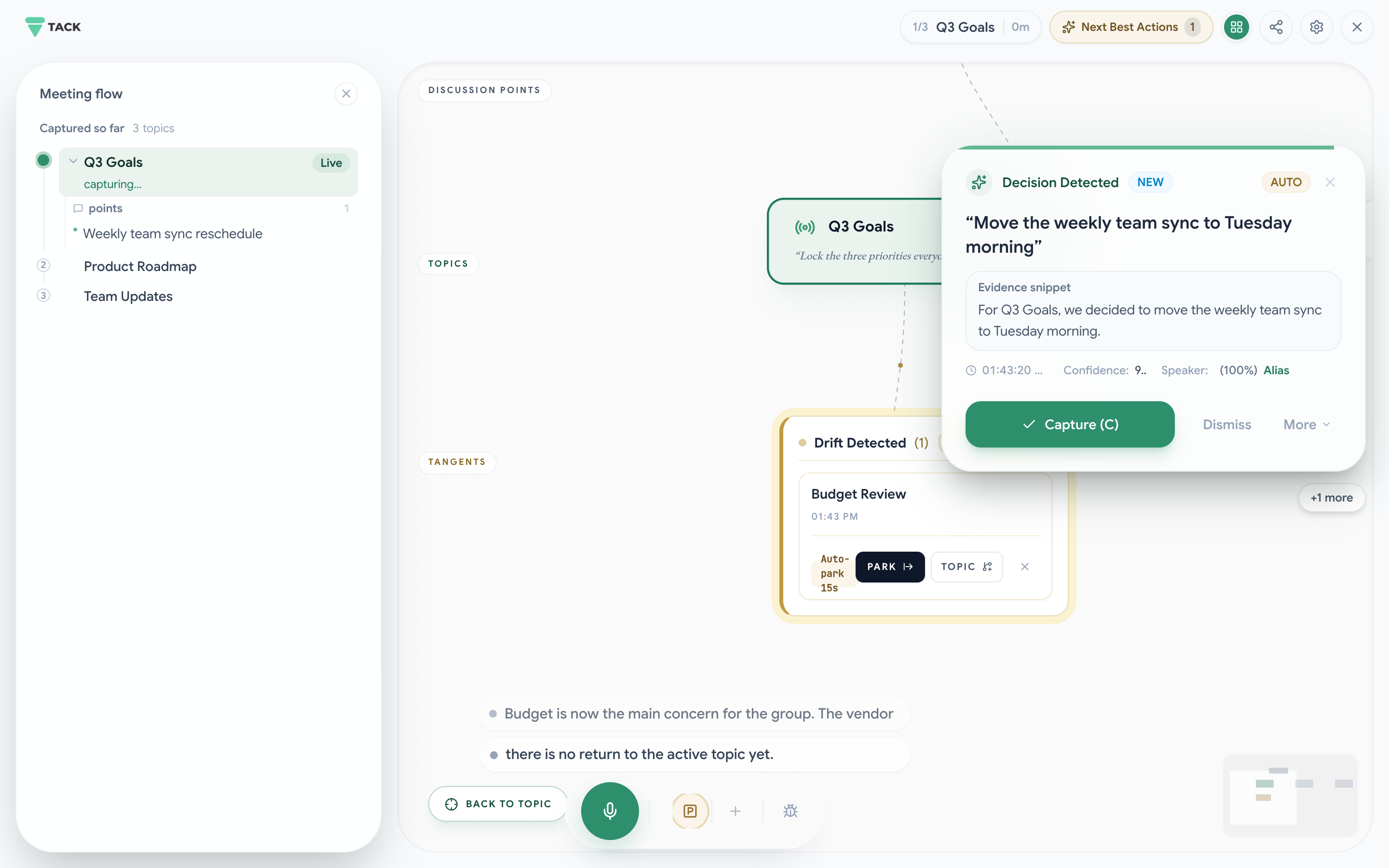

Tack plays the same steady role: keep the topic visible, redirect drift without drama, and help the room end on the point.
Keeps the meeting's stated purpose visible as the room talks.
Keeps the pace and remaining time in view.
Makes drift visible and lets the room choose what to park.
Surfaces decisions and next steps for confirmation live.
Built for leadership reviews, project check-ins, scope calls, and recurring meetings where drift has a cost.
Tack flags the tangent, then the room can park it or keep going.
A prompt, not an interruption.
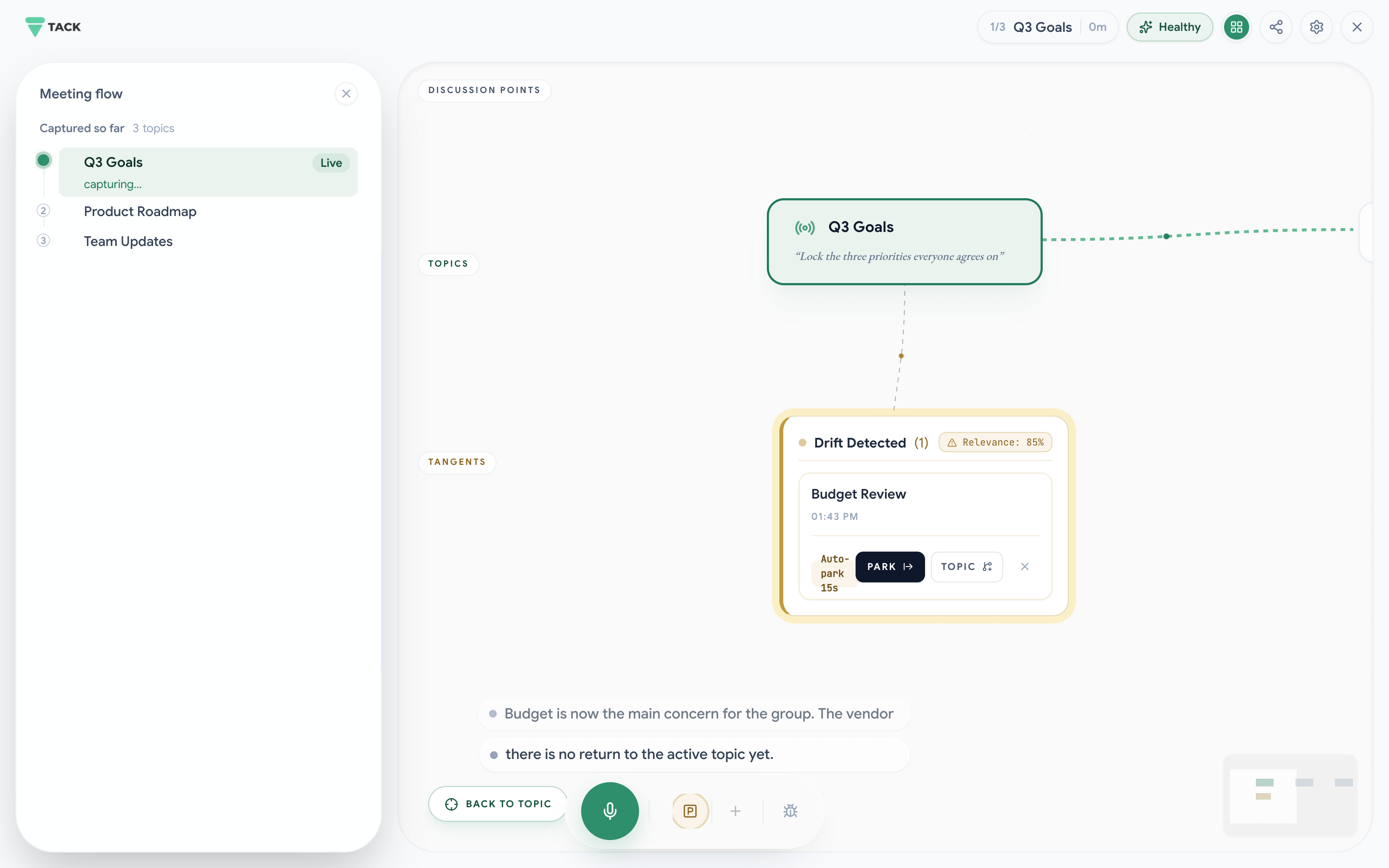
Everyone sees the same cue, so the meeting lead does not have to police every tangent.
The meeting lead has to interrupt the tangent and absorb the tension.
The room decides together what happens next. The meeting lead stays in the conversation.
Tack is built for the live part of the meeting, not just the archive that comes after it.
A transcript gives people a record to review.
Tack surfaces drift, decisions, and next steps while the room can respond.
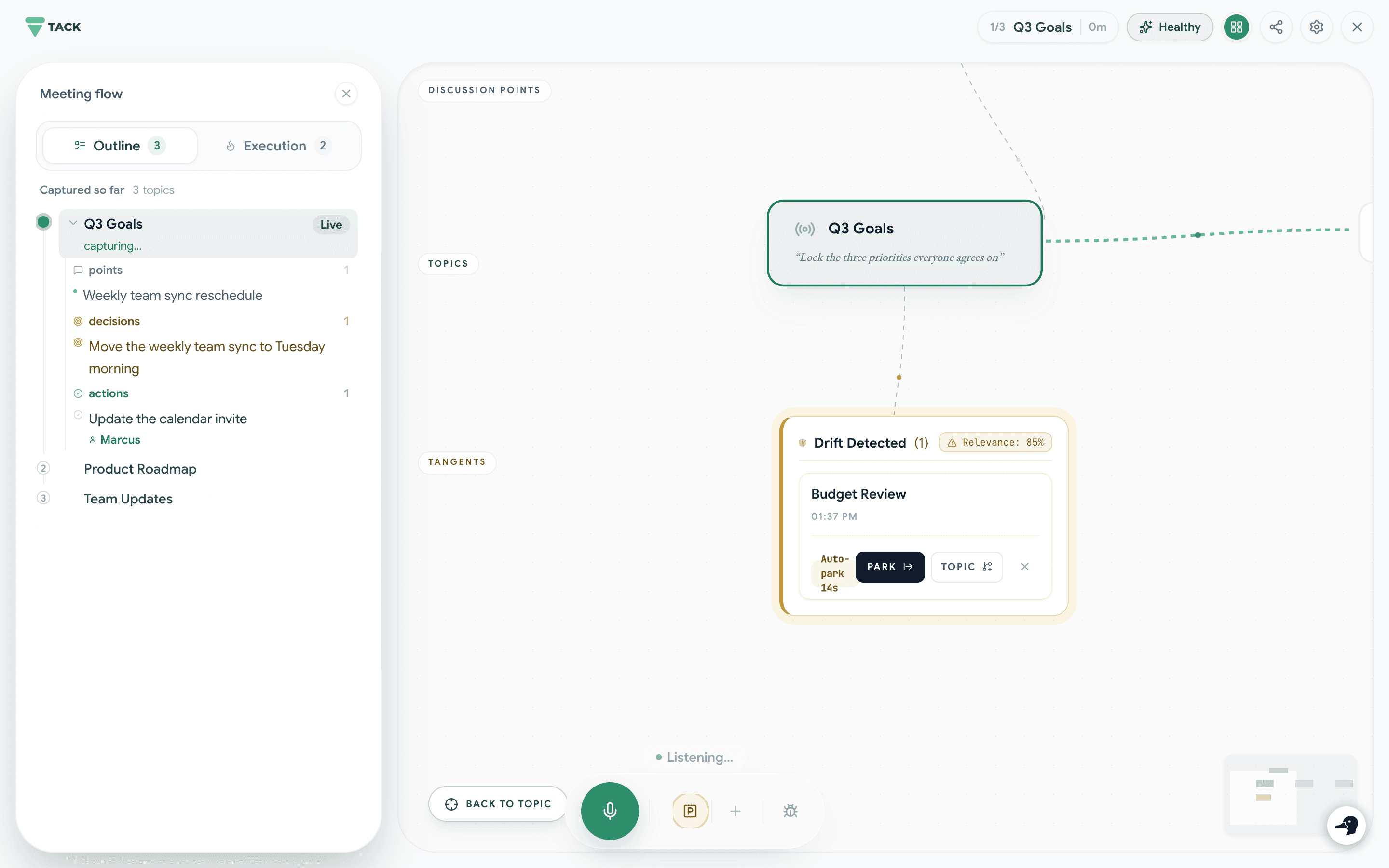
Less cleanup after the meeting. Less ambiguity the next day.
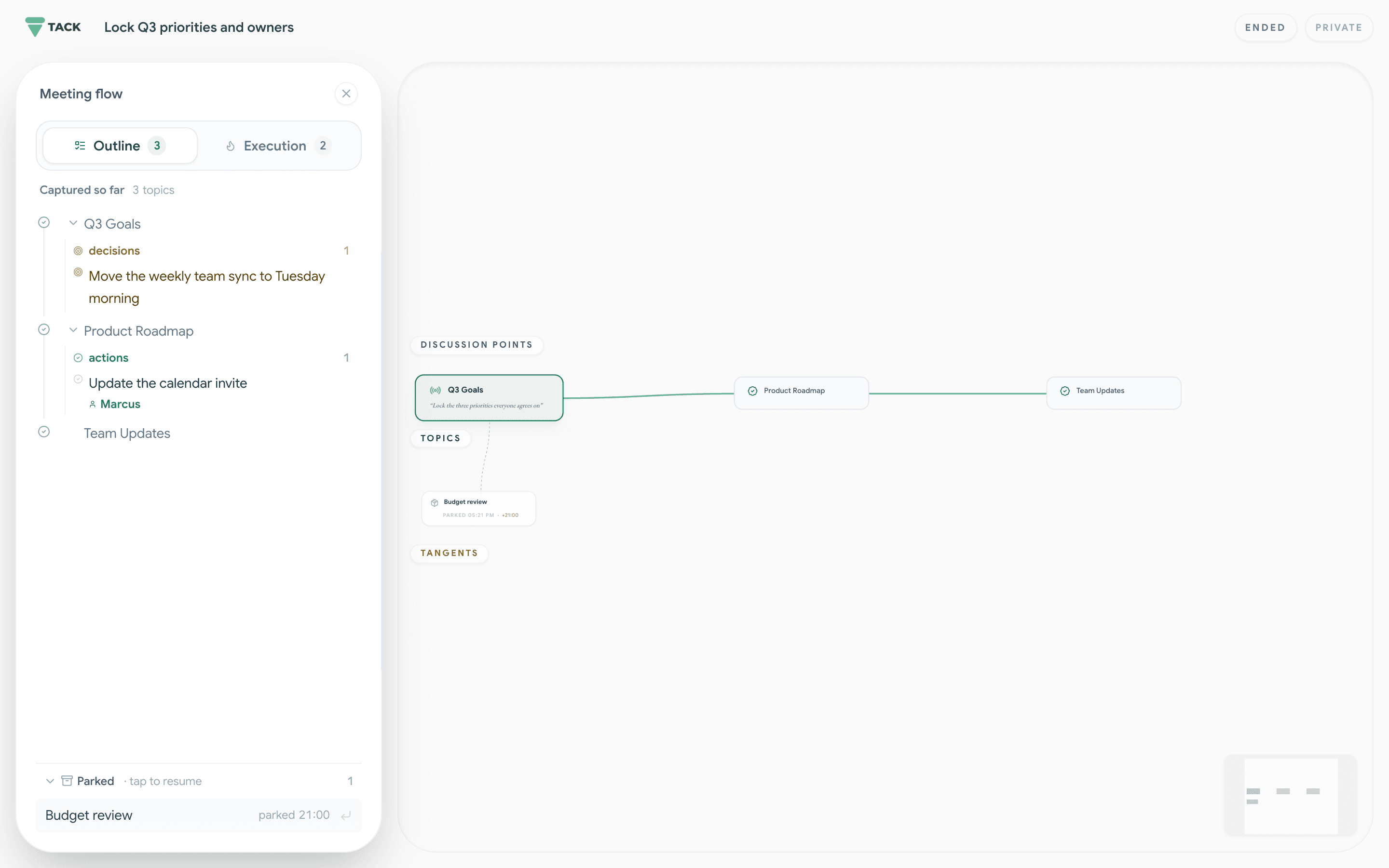
Set the objective and make the meeting's purpose visible.
See when the conversation begins to drift.
Save a tangent without losing it or derailing the room.
Review the decisions and next steps the team confirmed.
No. The transcript gives Tack context, but the transcript is not the product. Tack's core job is to guide the live discussion while the room can still act.
Tack uses visual prompts and shared cues. The room can dismiss a prompt, park the tangent, or keep going.
Dismiss the prompt and keep going. Decisions and next steps are surfaced for confirmation, so the room keeps the final say.
One person runs Tack for the meeting. Everyone else can stay in the conversation without installing anything.
No. A visual prompt offers two choices: park the tangent or keep going. The team decides what happens next.
Invite-gated early access
Tack catches drift, helps park tangents, and lets the team decide what happens next.
Try TackOne Google sign-in. No credit card.